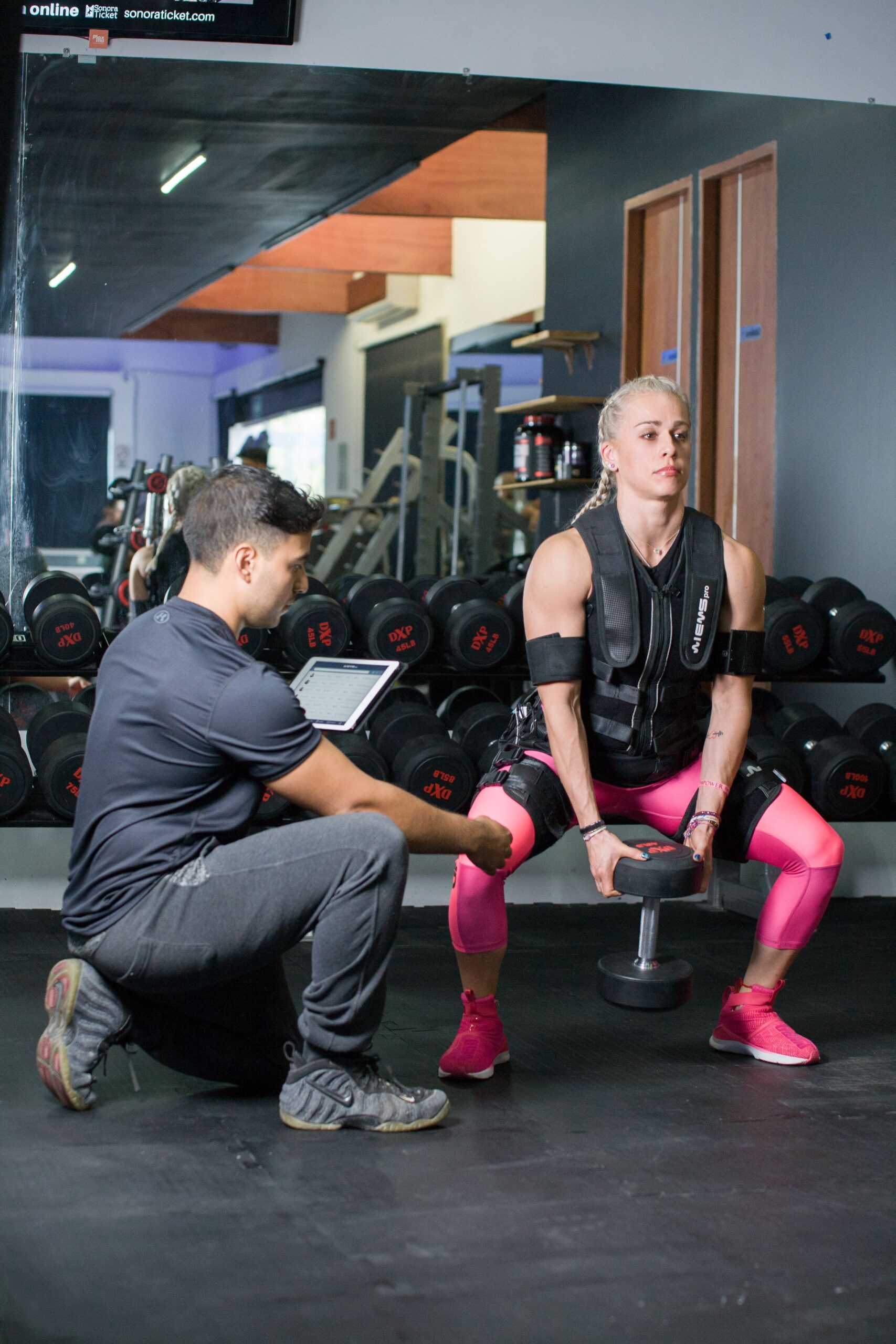
What Are Smart Workouts
Smart workouts integrate technology such as artificial intelligence, wearable sensors, and mobile applications to personalize exercise routines based on real-time biometric data. These programs analyze heart rate variability, movement patterns, and recovery metrics to adjust intensity, volume, and rest periods automatically. Beginners benefit because the systems remove guesswork from programming, ensuring progressive overload without risking overtraining. Devices like smartwatches feed data into algorithms that recommend modifications on the fly, turning generic plans into adaptive training sessions.
Benefits of SmartFitness for Beginners
SmartFitness reduces injury risk through form feedback from motion-capture cameras and accelerometers. Studies show users who follow AI-guided sessions experience 30 percent fewer strains compared with self-directed beginners. Motivation stays high because apps deliver gamified streaks, virtual coaching, and instant progress visualizations. Personalized recovery suggestions based on sleep data prevent burnout, allowing consistent training over months rather than weeks. Cost efficiency improves as one subscription often replaces multiple gym memberships and personal trainers while providing 24/7 guidance.
Choosing the Right Smart Fitness Tools
Select wearables with accurate optical heart-rate sensors and multi-day battery life. Popular options include devices supporting GPS, SpO2 tracking, and ECG capabilities for comprehensive health monitoring. Pair them with apps offering video libraries of over 500 exercises and AI form checks via smartphone cameras. Budget-friendly starters start at $50 for basic trackers, while premium ecosystems reach $300 when including scales and resistance bands with embedded sensors. Verify compatibility with major operating systems and check user reviews for data privacy practices before purchase.
Setting Up Your Smart Workout Routine
Begin with a three-day split focusing on full-body movements to build foundational strength and cardiovascular base. Input your age, weight, and current activity level into the app so algorithms generate starting loads. Schedule sessions at consistent times, allowing 48 hours between strength days. Use the built-in warm-up protocols lasting five to eight minutes to prepare joints and elevate core temperature. Log every set and repetition manually or via voice commands so the system refines future recommendations based on actual performance trends.
Popular Smart Workout Apps and Platforms
Nike Training Club provides free structured programs with embedded audio cues and integration with Apple Health. Peloton Digital offers live and on-demand classes with leaderboards that foster friendly competition. Freeletics relies on AI to create daily workouts that adapt after each session, emphasizing bodyweight and minimal equipment. Apple Fitness+ combines metrics from Apple Watch with instructor-led videos across modalities. Beginners should trial at least two platforms for seven days to compare interface and content variety before committing to annual plans.
Incorporating Wearable Technology
Sync heart-rate monitors during every session to maintain target zones between 60 and 80 percent of maximum for fat oxidation and endurance gains. Enable automatic rep counting on smartwatches to eliminate manual tracking errors. Review nightly recovery scores before deciding on high-intensity versus active recovery days. Share anonymized data with the app community for comparative insights while keeping personal health records encrypted. Update firmware regularly to access new features such as stress detection and guided breathing exercises that complement physical training.
Nutrition and Smart Tracking
Link food-logging apps to your fitness ecosystem so macronutrient intake aligns with workout demands. Consume 1.6 to 2.2 grams of protein per kilogram of body weight on training days to support muscle repair. Use barcode scanners for quick entry and AI suggestions that flag micronutrient gaps. Time carbohydrate intake around sessions, aiming for 30 to 60 grams within two hours post-workout when glycogen replenishment peaks. Monitor hydration through smart bottles that record volume and remind users to drink at optimal intervals.
Avoiding Common Pitfalls
Many beginners ignore rest-day recommendations generated by the algorithm, leading to stalled progress. Always follow suggested deload weeks every four to six weeks. Resist the urge to increase weights faster than the 2.5 percent weekly progression the system calculates from performance data. Double-check form videos rather than rushing through sets, as poor technique triggers compensatory patterns detectable by sensors. Avoid comparing metrics with advanced users in community feeds, focusing instead on personal week-over-week improvements.
Progress Tracking and Adjustments
Examine weekly dashboards that plot strength gains, average heart rate, and sleep quality side by side. When plateaus appear for two consecutive weeks, reduce volume by 10 percent or swap exercises for variations the app suggests. Celebrate non-scale victories such as improved posture scores or lower resting heart rate. Export monthly reports to share with healthcare providers during checkups. Reassess goals quarterly and update body-composition measurements so algorithms recalibrate calorie and macro targets accurately.
Sample Beginner Smart Workout Plans
Week one focuses on three 30-minute full-body circuits using bodyweight squats, push-ups, and inverted rows. The app prescribes 3 sets of 8 to 12 reps with 60-second rests. Week three introduces light dumbbells and 20-minute HIIT finishers tracked via heart-rate zones. By week six, sessions extend to 45 minutes with supersets and core finisher circuits. Each plan includes mobility flows on rest days measured through range-of-motion tests. Follow the exact sequence delivered by the software to ensure balanced development across movement patterns.